
Draw Sketches for Virtual Reality Like a Pro
Article posted on
· Updated
Virtual reality is a brand new frontier, but there are already tools that cover almost all the steps of creating a new experience (thank you, game industry).
But sketching is so ancient, as we still are using the same tools as ages before, a pencil and a piece of paper. I don’t want to say that it’s so bad. I really like making fast drafts. But VR gives us new boundaries as a comfortable field of view, no frame around, the ability to move your head and so on.
I used to do a lot of sketches of only part of the view, or views from different projections (for example front + top). Also, I found this cool template for drafting stories. It is good but doesn’t reflect how the user will see it. Also, there is a solution for the Sketch App, but I’m an old fashion guy who likes taking the pencil first.
So I tried to use a 360 panorama grid to align my sketches to wide-angle view. It was looking not very spectacular, till I scanned it and put on my face.
And it is working! So I’ll be glad to share my process step by step:
- Upload templates here:
2. Print any of them.
3. Take your pencil and draw. But let me explain what those marks mean:
Each vertical line measures 10° of the angle of view. Each curved line measures the vertical angle of view by 10°.
To start, you should remember that in the centre is the front. Back is on the left and right borders.
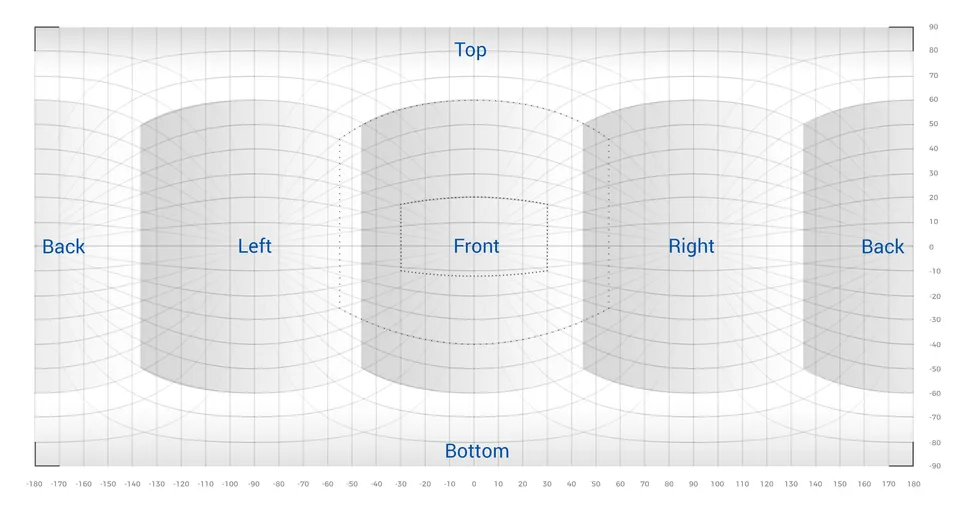
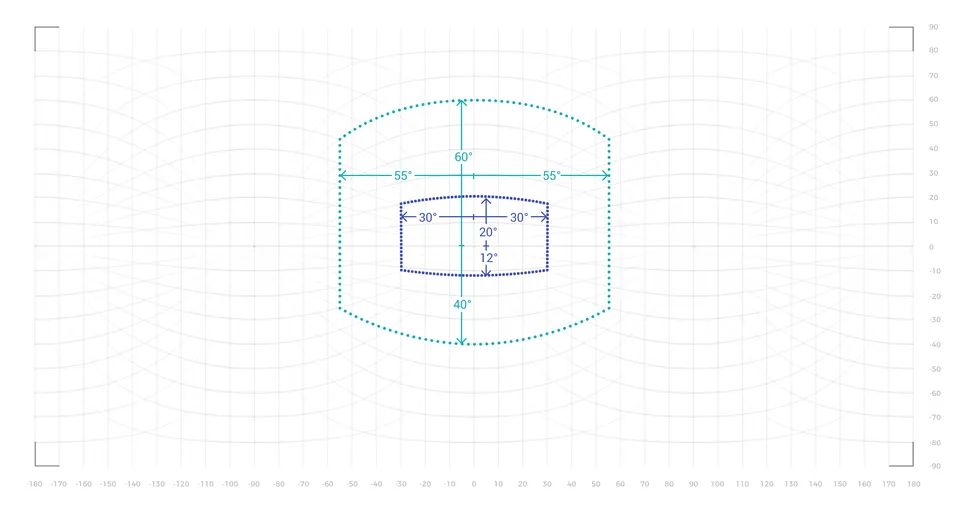
There are two “rectangles” that show the comfortable and maximum field of view by Alex Chu. It is just to be aware of scale, which is not easy catch at the beginning.
4. Scan or take the photo of your art.
Tip: You can draw on Wacom or any other pen tablet as well.
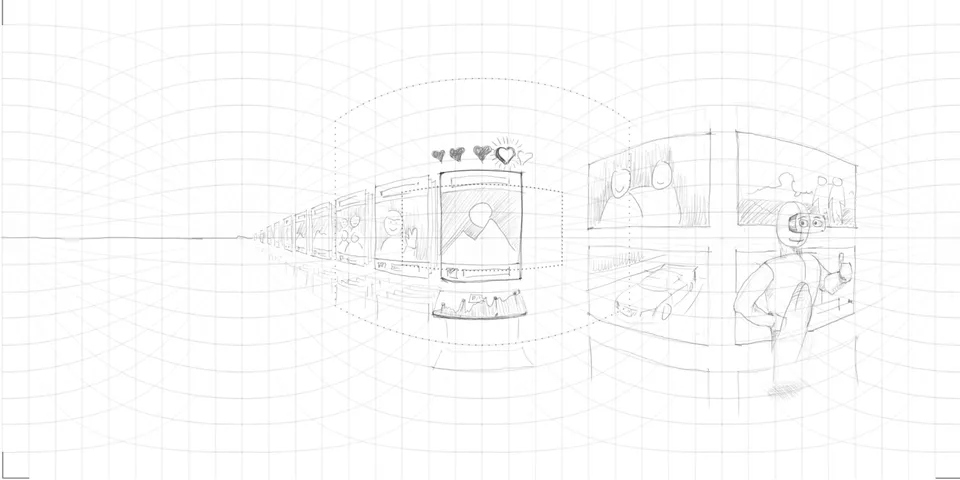
5. Crop the image with a ratio of 2:1. Marks on the corners should help to do this.
6. Open the exported image in a viewer that supports 2:1 equirectangular panoramas. For a browser-based option, Pannellum supports equirectangular panoramas in a web browser; its documentation explains how to host and display an image. A panorama preview helps check the layout; it does not replace testing the design in VR.
Resource update — October 31, 2026: The original 2017 workflow used GoPro VR Player and the Google Street View app. Kolor confirms that its products are no longer updated. The earlier 14-megapixel requirement was specific to that publishing workflow, not a requirement for every panorama viewer.
7. Voila! You easily have your sketches in virtual reality.
 ▶ Play Video demonstration
Of course, it is a little bit of a bulky solution, but it’s the fastest way that I have found.
If you have any comments, questions or ideas, just let me know.
P.S. Examples created using this template:
Demo created by Andy Stone.
Art created by Yuming Cheung.
For downloadable drawing guides, see Templates for AR/VR Sketches. For a digital version of the process, see Easy Way to Make 360 VR Designs.